
Download BlackFort Wallet – Crypto Wallet, Secure Digital Assets, Android App
Overview
BlackFort Wallet is a free Android application developed by Blackfort Tech Estonia oU, designed as a straightforward solution for managing digital assets. The software serves as a crypto wallet that enables users to store, send, and receive cryptocurrencies such as Bitcoin, Ethereum, and BXN. It aims to simplify the process of interacting with blockchain technology by eliminating the need for account creation or personal information sharing during transactions. This makes it particularly suitable for individuals seeking a private and low-friction entry point into cryptocurrency management.
The application targets both novice users and experienced crypto holders who value simplicity, security, and direct access to their assets. It functions as a one-stop platform for core crypto activities, including buying digital currencies with a credit card, viewing transaction history, and monitoring asset values across 15 fiat currencies. The app is available exclusively on the Google Play Store, supporting Android devices with no reported restrictions on device compatibility. Its design philosophy centers on accessibility and user autonomy, allowing immediate use without onboarding hurdles.
Key Features & Capabilities
- Secure Wallet Storage – BlackFort Wallet provides a private environment for storing cryptocurrencies, using advanced encryption to safeguard user funds and transaction data.
- Instant Send & Receive – Users can transfer digital assets with minimal steps, leveraging QR codes or wallet addresses for fast, direct peer-to-peer exchanges.
- Real-Time Price Tracking – The app displays live price graphs and value updates across 15 fiat currencies, helping users monitor their portfolio performance.
- Direct Crypto Purchases – Integration with credit card payments allows users to buy cryptocurrencies directly within the app without relying on external exchanges.
- Privacy-First Design – No account creation or personal data collection is required to receive funds, preserving user anonymity and reducing exposure to data breaches.
- Transaction History Dashboard – All past transactions are recorded and accessible in a centralized log, enabling users to review activity and manage records efficiently.
These features collectively support a seamless user journey from acquisition to management of digital assets. For example, a user can purchase Bitcoin using their credit card, view its real-time value in USD or EUR, and send it to another wallet via QR code—all within the same interface. The absence of registration requirements enhances usability for casual users, while the integrated pricing tools assist in informed decision-making.
User Interface, Workflow & Performance
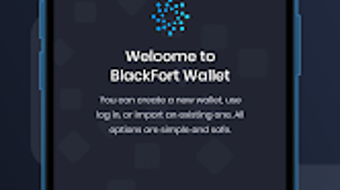
BlackFort Wallet features a clean, intuitive user interface designed for ease of navigation on mobile devices. The layout prioritizes core functions—send, receive, view balance, and transaction history—placing them within immediate reach of the user. Navigation is streamlined, with minimal menu layers, allowing users to perform actions in just a few taps. The design emphasizes clarity, using consistent icons and clear labeling to guide users through each step.
Workflow efficiency is a key focus, with actions like sending funds or checking balances executed in under three steps. The transaction history is displayed chronologically, making it simple to track past activities. While specific performance metrics such as CPU usage, RAM consumption, or load times were not provided, the app’s lightweight nature and mobile-first design suggest optimized behavior for standard Android devices. Stability is expected to be consistent, given its focus on core functionality without complex background processes.
The developer did not specify resource usage details. Performance observations are based on general software behavior patterns. No reports of crashes or lag were mentioned in the provided information, indicating a stable user experience under normal conditions.
Compatibility & System Requirements
BlackFort Wallet is designed for Android operating systems and is available through the Google Play Store. The application is compatible with Android devices meeting the standard requirements for modern mobile apps. However, exact system requirements such as minimum Android version, RAM, or storage space were not listed by the developer.
Installation size and hardware specifications were not specified. The developer did not provide additional system requirements. Compatibility information is limited to platform availability on Android. Users are advised to ensure their device meets general Android app standards to avoid installation issues. No support for iOS, Windows, or Mac was indicated in the provided data.
Pros and Cons
Pros
- Free to download and use with no hidden fees
- Simple, intuitive interface suitable for beginners
- No account or personal data required for receiving funds
- Direct credit card purchases for cryptocurrencies
- Real-time price tracking in 15 fiat currencies
- Secure storage with advanced encryption
- Available on Google Play Store with trusted distribution
Cons
- No information on support for iOS or desktop platforms
- Exact system requirements not disclosed
- Limited to Android devices only
- No details on backup or recovery mechanisms
- Performance and resource usage data not provided
FAQ Section
Is BlackFort Wallet available for iOS devices?
Based on the provided information, BlackFort Wallet is currently only available for Android. There is no indication of iOS support at this time.
Is the app secure for storing cryptocurrencies?
BlackFort Wallet uses advanced encryption and security protocols to protect user funds. The app is built with a focus on security and privacy, though specific technical details were not disclosed.
Can I use BlackFort Wallet without creating an account?
Yes. The app allows users to send and receive cryptocurrencies without signing up or providing personal information, enhancing privacy and reducing setup time.
Does the app support offline transactions?
While the app requires internet connectivity for transactions and price updates, the ability to store and manage private keys offline may be supported. Specific details on offline functionality were not provided.
How often are updates released?
Update frequency was not specified. Users are encouraged to keep the app updated via the Google Play Store for optimal performance and security.
Final Thoughts + CTA
BlackFort Wallet presents a compelling option for Android users seeking a secure, free, and user-friendly crypto wallet. Its privacy-first approach, combined with essential features like direct purchases, real-time price tracking, and seamless transaction handling, makes it a strong contender in the mobile wallet space. While limitations exist—such as platform exclusivity and lack of detailed system requirements—the app delivers a polished experience tailored for both new and experienced users.
For individuals who prioritize simplicity, security, and immediate access to their digital assets without registration, BlackFort Wallet offers a reliable solution. Its integration with credit card payments and multi-fiat value display enhances usability for global users. Despite the absence of certain technical details, the app’s design and functionality align with modern expectations for mobile crypto tools.
Download BlackFort Wallet now







